

Driving First Session Activation at Learvo Learning
Learvo is an AI-powered learning platform with flashcards, mnemonics, and quizzes.
I redesigned the first-time user experience to help new users understand the product's value and successfully try a core feature in their first session.
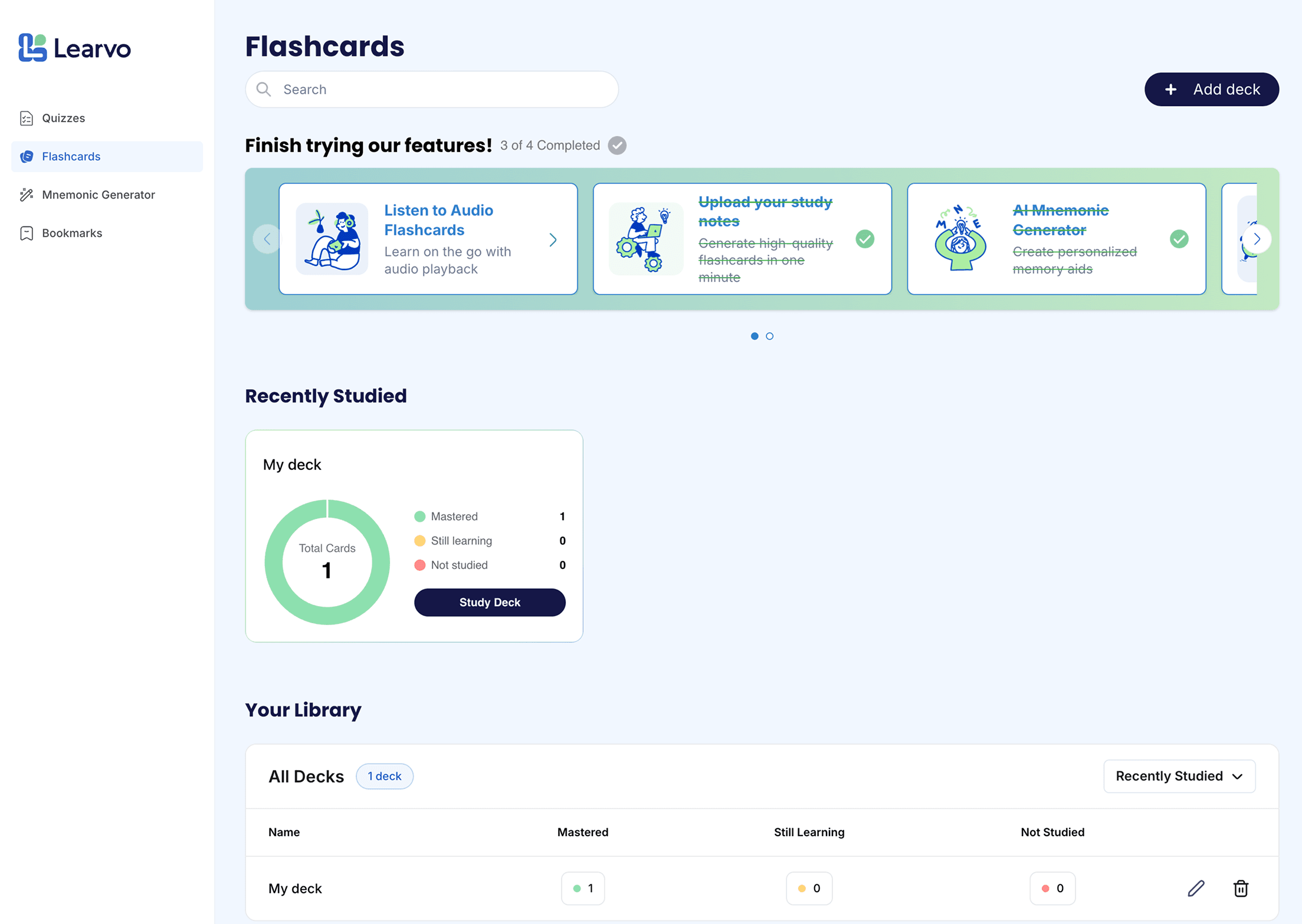
01
The Mission
New users were leaving before experiencing value. My mission was to help them discover and successfully try a core feature faster.
Challenge
Users left before completing any core learning action or experiencing value.
Approach
Audited workflows, mapped friction, designed discovery patterns, and tested for comprehension.
Outcome
7 of 8first-time usability participants completed a core feature flow without assistance.
I led the first-time user experience work: auditing onboarding flows, identifying activation blockers, proposing lightweight product changes, designing the activation banner and interim home state, and validating the redesigned flow through moderated usability testing. I collaborated with another designer on UI polish and worked with developers/founder to scope implementation.
02 Understanding the Problem
New users weren't reaching value before they gave up.
Analytics showed that too many new users left before trying any core feature.
Product Context
Learvo helps students turn study materials into tools: flashcards, mnemonics, and quizzes.
Core Issue
Many users left before completing any of these, so they abandoned the platform before seeing value.
How might we...
How might we help new users discover and successfully try at least one core feature in their first session so they experience Learvo's value before dropping off?
03 UX Audit to Determine Project Scope
To define a focused redesign scope, I audited first-time user flows across Learvo's core features: Flashcards, Mnemonics, and Quizzes.
Key findings
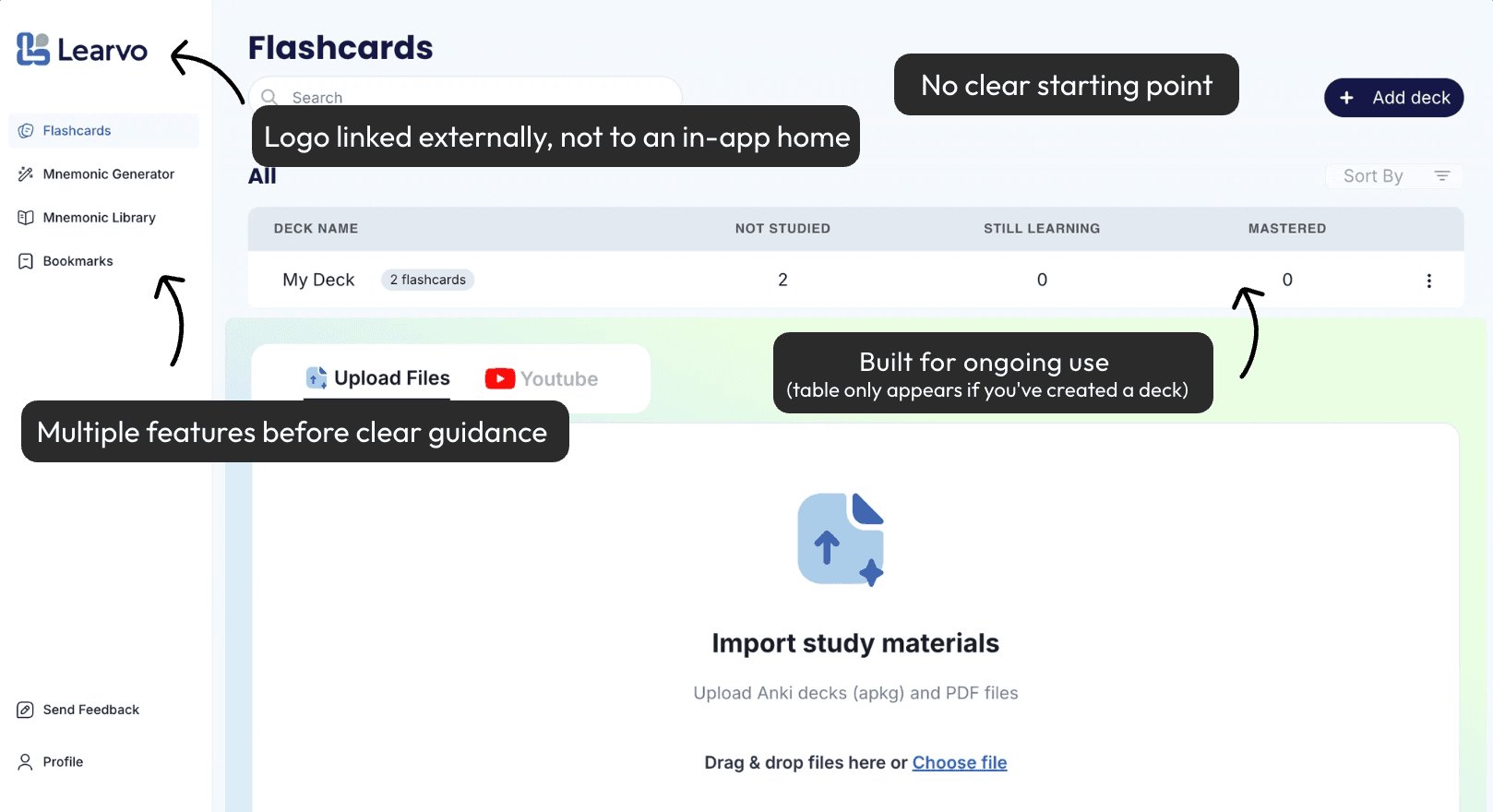
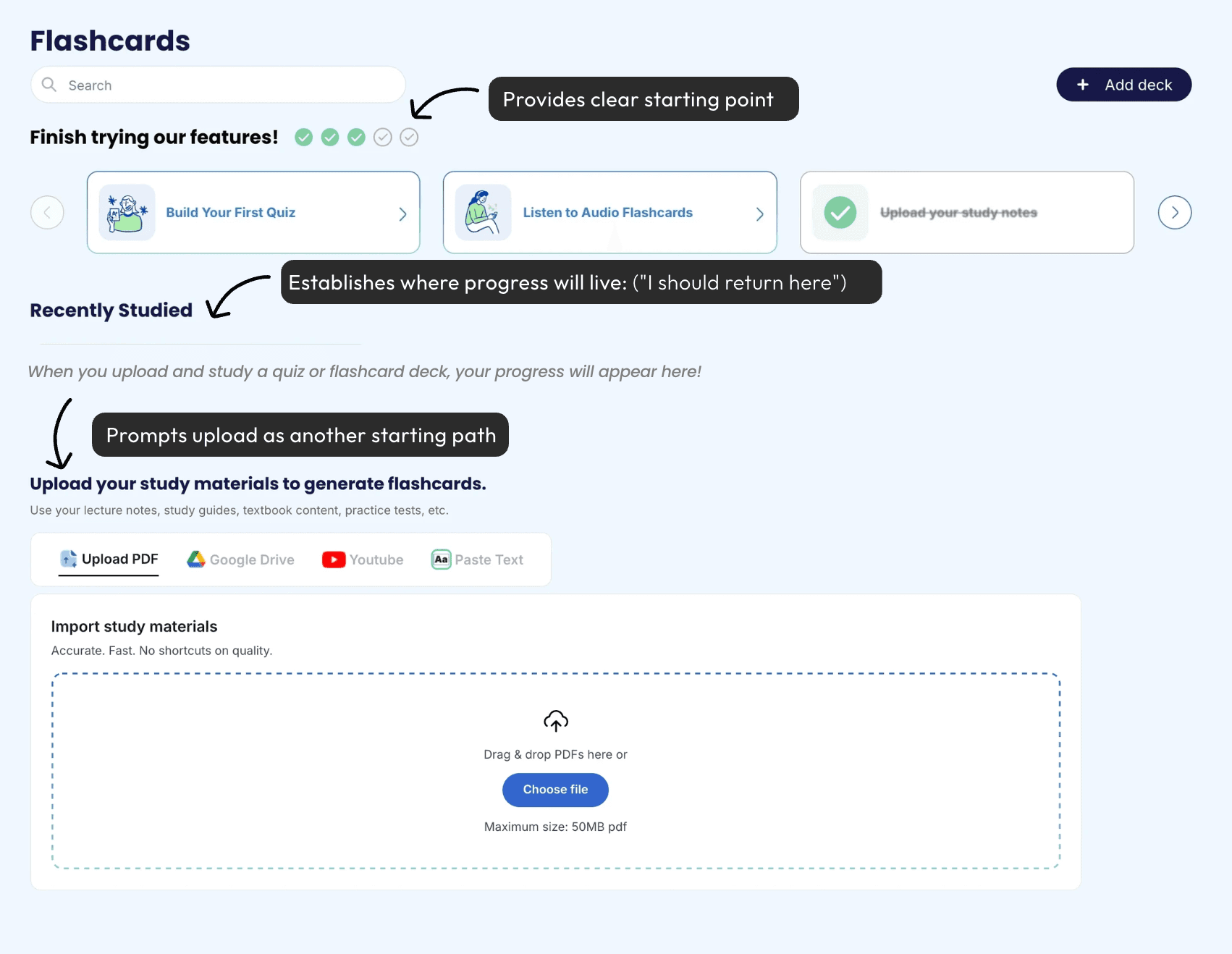
- New users were expected to self-direct before being introduced to any core feature.Without a clear starting point, users had to decide where to go before understanding what Learvo could help them do. In usability observations, some users scanned past core feature entry points because the page hierarchy did not clearly distinguish primary actions from secondary content.
- The interface lacked a reliable orientation point.Users did not have a predictable place to return to after exploring. In testing, 5 of 8 users clicked the Learvo logo expecting to return home, but it redirected them to the public signup page instead.
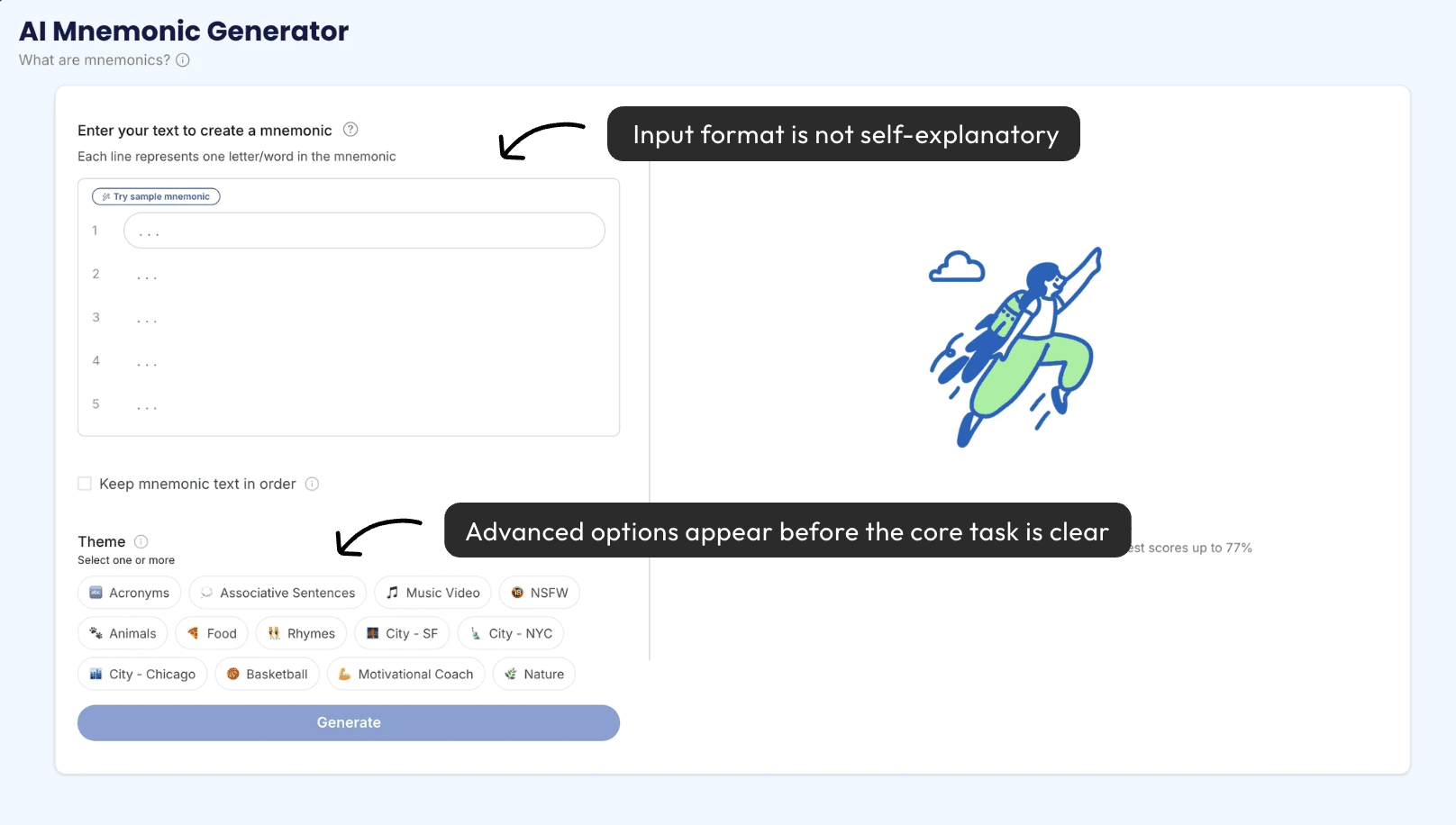
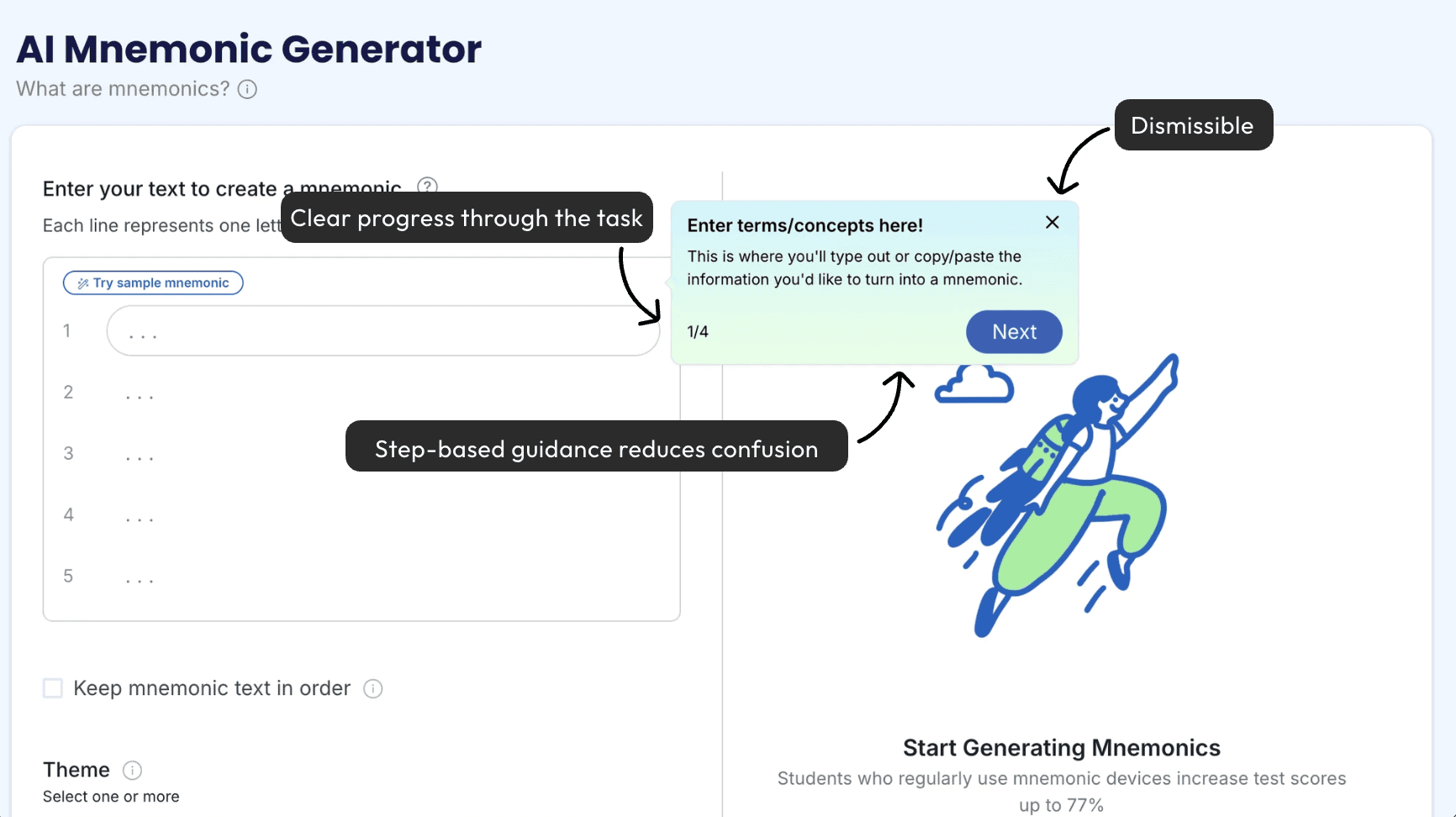
- Users encountered unfamiliar tools before they had enough context.For example, several users paused on the Mnemonic Generator because they did not understand what input was expected or how the tool would support their studying.
- Core feature workflows needed more first-time guidance.Because feature pages relied on users already understanding the workflow, first-time users needed clearer prompts before they could confidently complete a core learning action.
04 Constraints
Constraints
There were two primary constraints that influenced the direction of the design solutions.
Limited engineering capacity
- Large structural changes weren't feasible.
- Implementation moved slowly.
- We had to work within existing architecture.
Pressure to ship quickly
- Decisions had to be made quickly.
- We couldn't spend cycles designing a perfect end state.
- Solutions needed to be testable and fast to implement.
Rather than designing a full new home or heavy setup flow, I prioritized lightweight changes that could reduce hesitation, improve orientation, and help users reach a core feature in their first session.
05 Defining Success
Defining Success
How we're defining success
- New users complete at least one core feature flow in their first session (activation)
- Users report feeling oriented, not overwhelmed or lost
How we're measuring success
- Moderated usability completion rate (completing a core feature flow)
- Observed hesitation
- Navigation confusion or backtracking
- Qualitative user feedback
06 Design Responses to Key Findings
Design Responses to Key Findings
I focused on two lightweight solutions that addressed the biggest barriers without adding complexity or slowing down the first-time user experience.
01
Guided Onboarding
Problem
New users weren't given a clear starting point, which created hesitation before first action. Within the features themselves, the path to getting value was not always immediately obvious.
Decision
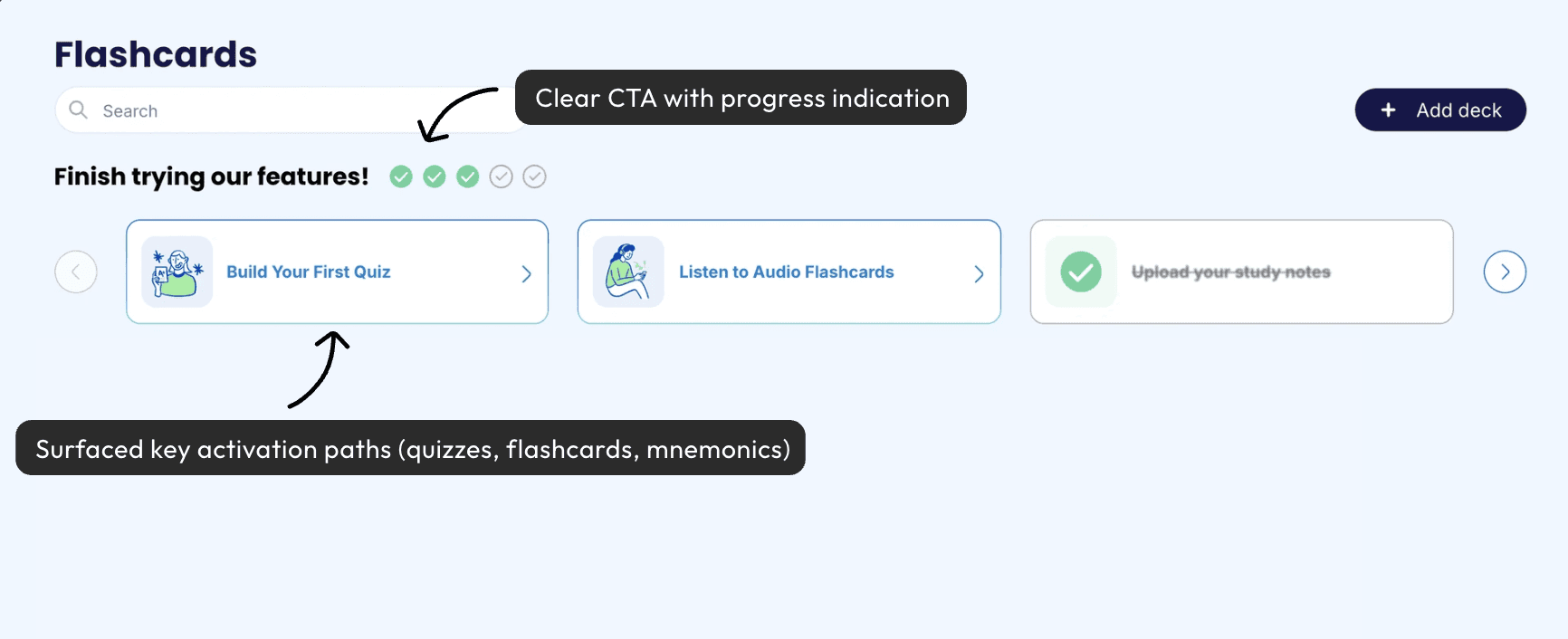
I paired an in-context activation banner with lightweight, step-based in-feature tutorials to guide users without forcing a linear onboarding flow.
Justification
We ruled out (1) a dedicated Home + setup flow, which was too time-intensive for a small team, and (2) a mandatory full-screen onboarding tour, which was too interruptive and higher skip risk. This approach balanced speed-to-ship with meaningful first-session guidance.
02
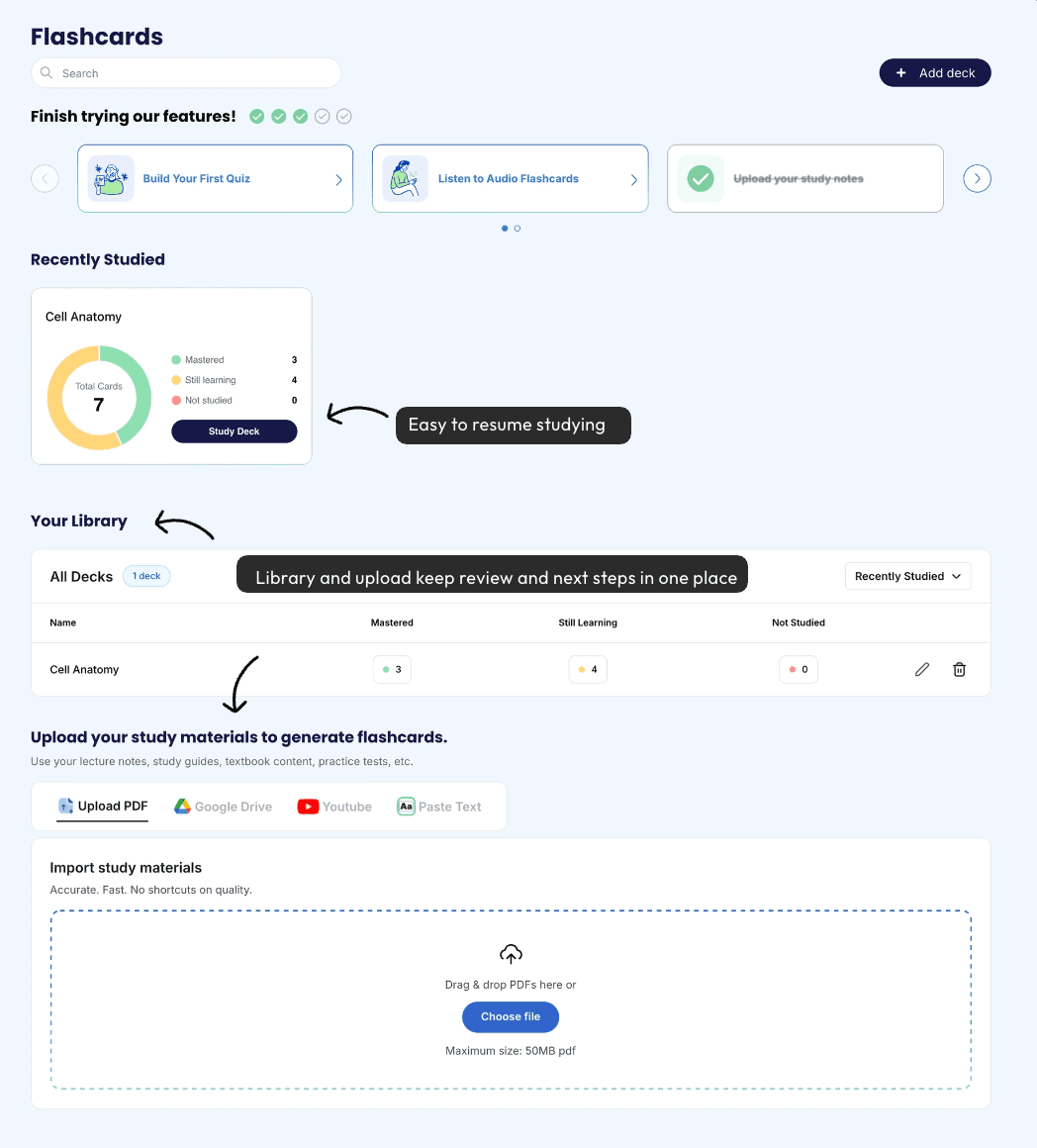
Creating an Interim Home State
Problem
Users lacked a reliable "home" to return to, which caused disorientation and backtracking. In pre-change usability observations, users repeatedly clicked the Learvo logo expecting it to take them home, but it redirected to the public signup page instead.
Decision
I repurposed the Flashcards page into an interim home state by combining first-time guidance with return-and-resume signals: the activation banner, Recently Studied, progress cues, and a reliable logo-to-home behavior.
This supported the full activation loop: helping users choose a first action, complete it, and see where to continue afterward.
Justification
A dedicated Home page was the ideal long-term solution, but shipping a net-new page wasn't feasible within the timeline. Instead, I took an incremental approach by making an existing high-traffic page function more like a home first.
03
Visual Design: Supporting UI Improvements
Problem
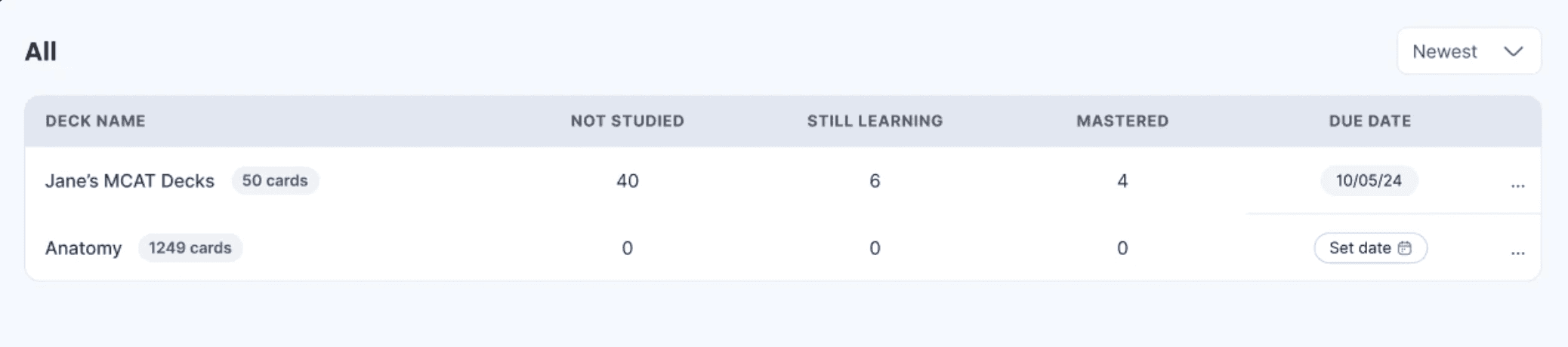
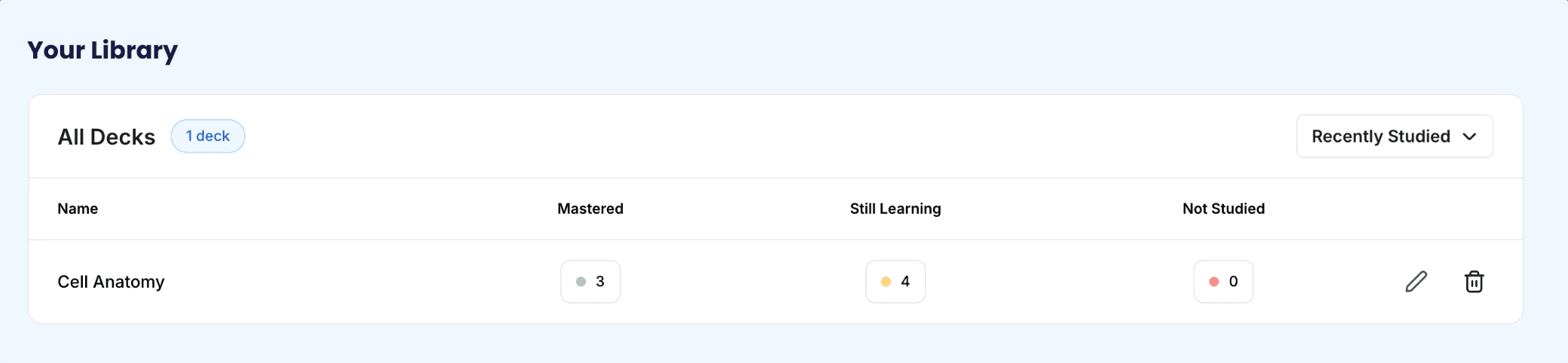
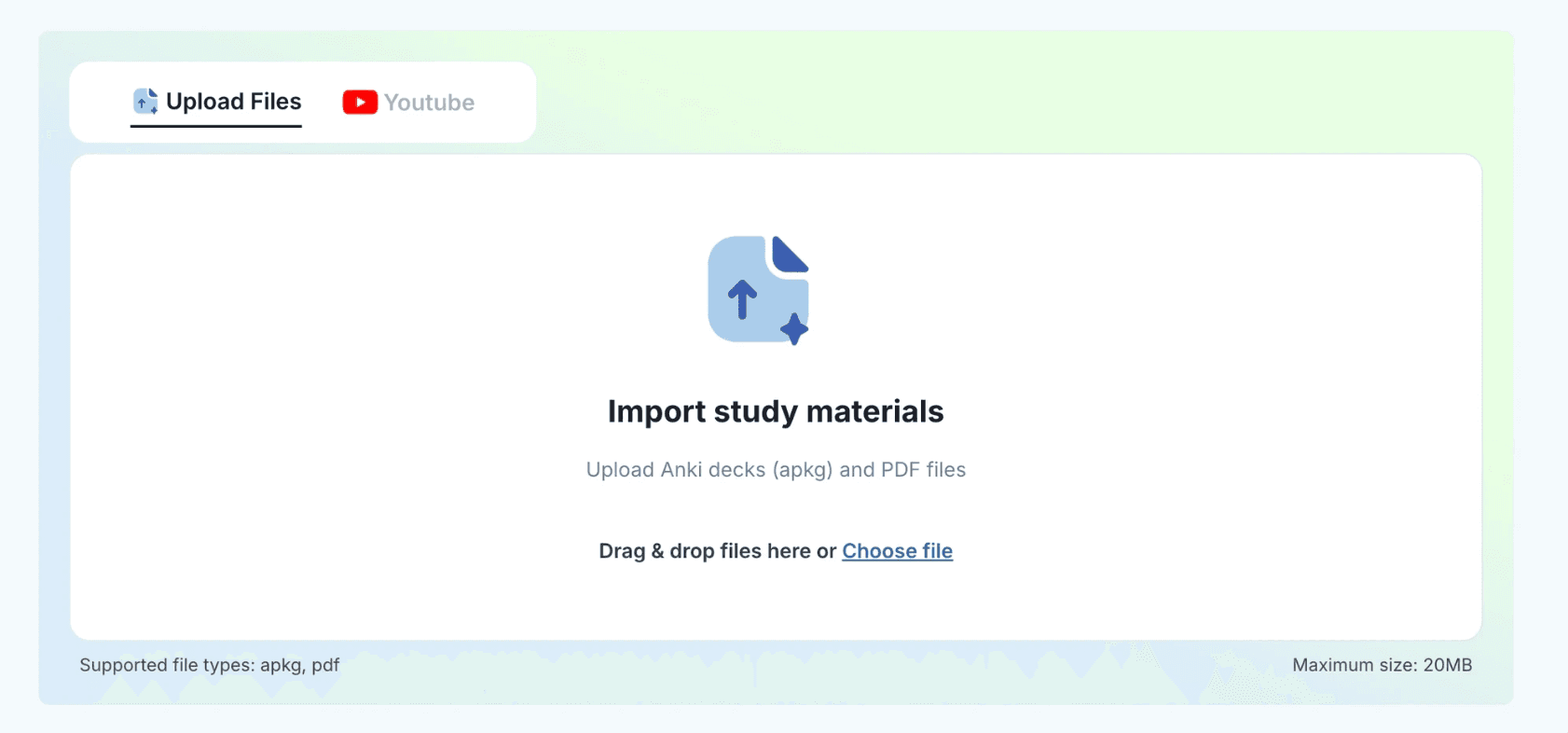
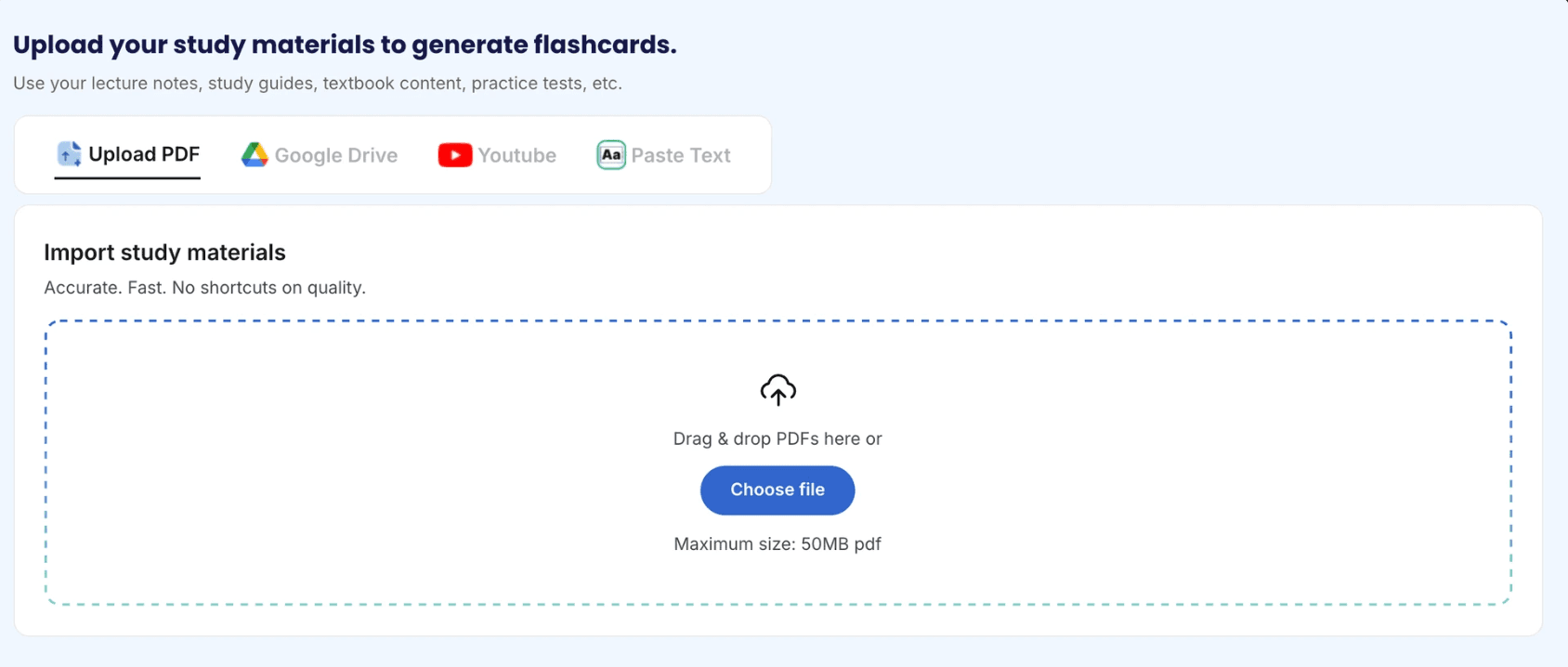
The table and upload features lacked clear hierarchy and polish, which made the product feel harder to parse and less trustworthy.
Decision
I redesigned the table and upload components to improve hierarchy, readability, and overall product polish, while maintaining design consistency across the experience.
Justification
These changes supported the activation work by making core surfaces feel clearer, more trustworthy, and easier to scan during first use.
Table feature before and after redesign
Upload feature before and after redesign
07 Walkthrough: First-time experience
Walkthrough: First-time experience
A quick walkthrough of the new first-time user flow, designed to help users reach value faster and with more confidence.
08 Outcomes
Outcomes
01
Activation improved
7 of 8 first-time users completed at least one core feature flow in moderated usability testing.
02
Feature Use Improved
Participants used the in-context prompts to choose a next step without needing a separate onboarding tour.
03
Orientation improved
The in-app home state gave users a more predictable place to return to.
04
Clarity improved
Customer success feedback suggested that new users felt more oriented and less overwhelmed.
09 Takeaways
Takeaways
Activation depends on helping users reach value quickly.
The biggest barrier wasn't feature depth, it was helping new users take one successful first step.
Better orientation mattered more than a larger rebuild.
A clearer home state, progress cues, and guided next steps reduced confusion without needing a net-new homepage.
Small, targeted changes can meaningfully improve first-session UX.
Working within constraints led to faster, testable improvements that made the product feel clearer and more usable.